Thingvalla Technology

Custom software for complex, real‑world workflows.

We design and ship web applications, data platforms, and AI-enabled tools — from focused MVPs to production systems.

Selected work

Live products, not mockups.

Two travel-planning products we designed, built, and run end to end. Each one is a network of useful pages rather than a single screen — open any of them below; they are live.

Travel planning · Web app

CruiseDayGuide

“Your cruise starts before you board.”

Problem
Cruise passengers piece together terminals, parking, hotels, and boarding-day logistics from scattered sources the day before they sail.
Build
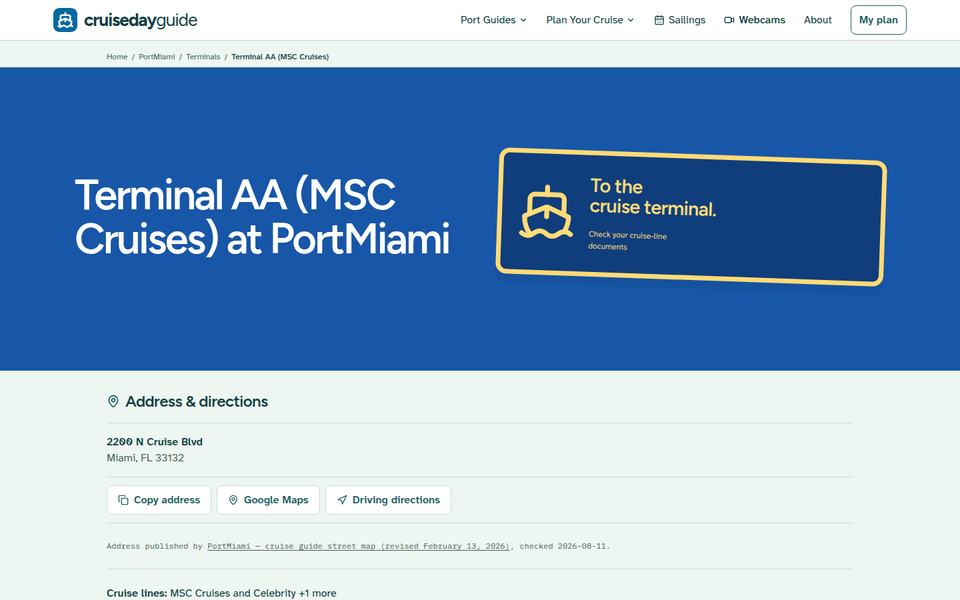
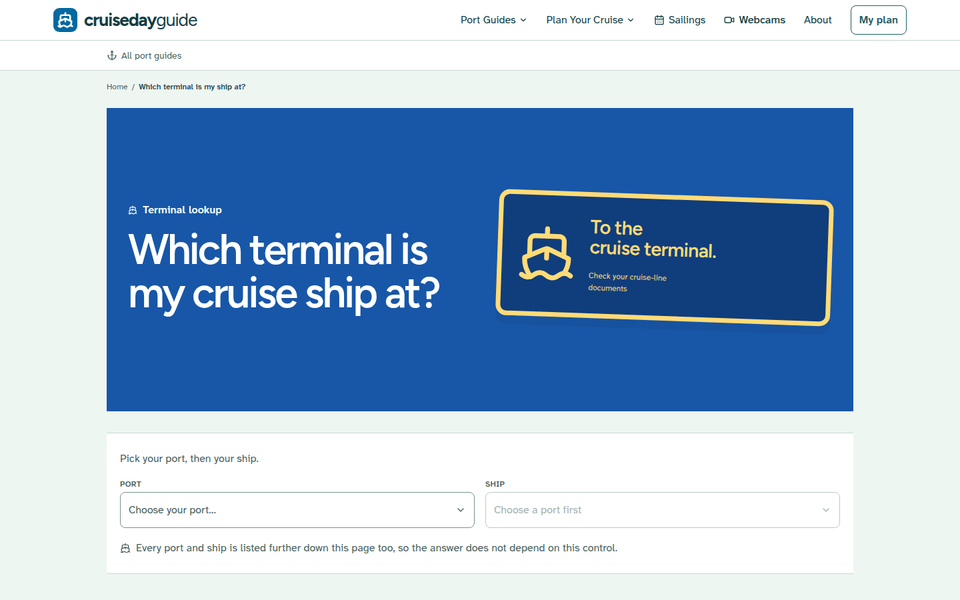
A port-by-port guide system: every departure port gets its own terminal, parking, hotel, and restaurant pages, plus monthly sailing schedules, tied together by a ship-to-terminal lookup.
Evidence
Live with guides for 19 departure ports across the US and Canada, plus 7 ports of call — free, no account required.
  • 19departure ports
  • 7ports of call
  • Freeno account needed
  • Which-terminal lookup by port and ship
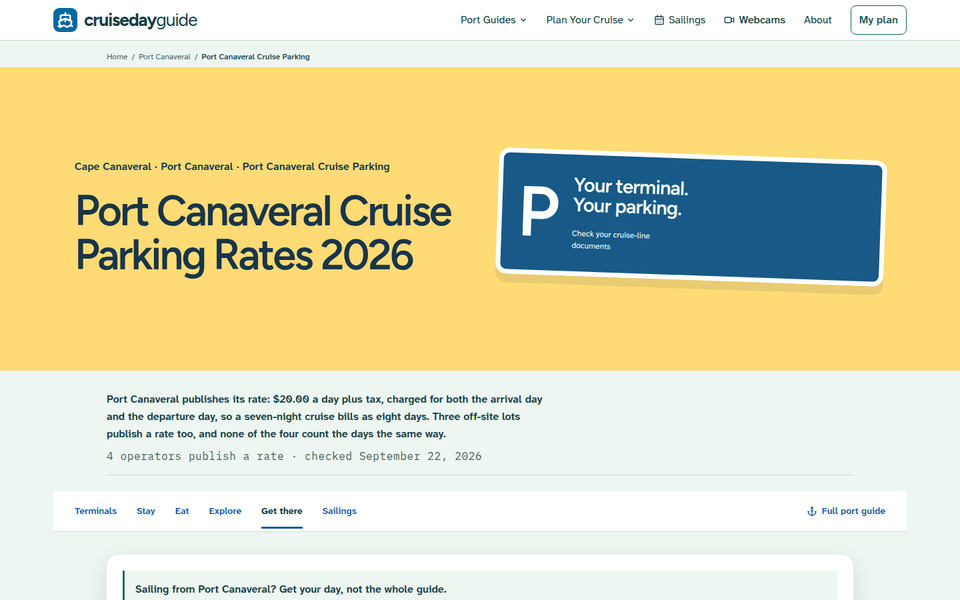
  • Parking rates and hotels for the night before
  • Monthly sailing schedules by port
  • Email reminders timed to your sail date
  • Next.js
  • TypeScript
  • Tailwind CSS
  • Resend
  • React Email
CruiseDayGuide homepage: "Your cruise starts before you board" with a port search box, followed by photo cards for each cruise port guide.
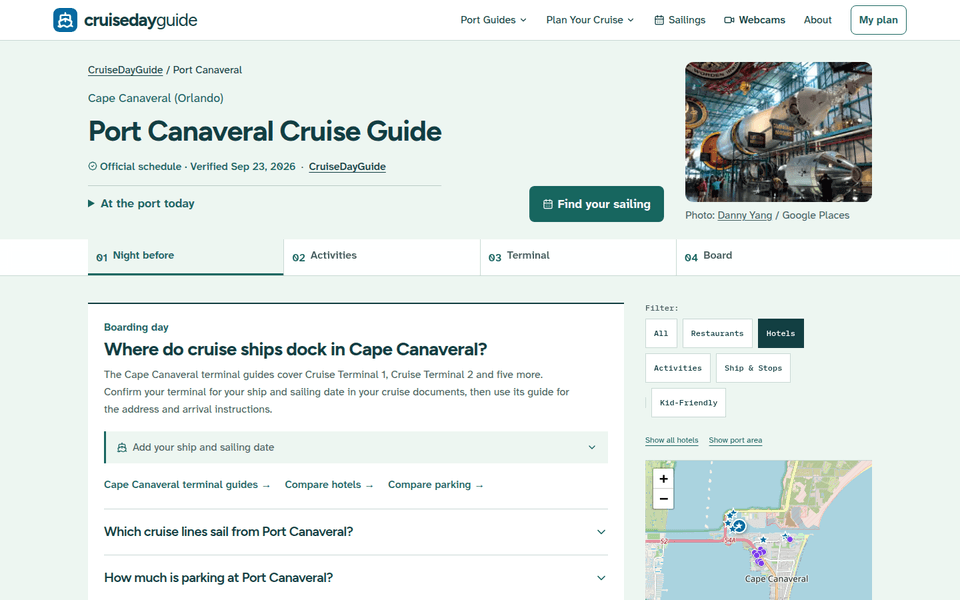
CruiseDayGuide on a phone: the Port Canaveral Cruise Guide with a Find your sailing button.

Inside the port guides

Each port is a small site of its own — terminals, parking, hotels, and sailings, all one tap from the next.

Browse all 19 port guides (opens in a new tab)

Sports travel · Web app

Game Weekend

“Pick your game. We’ll plan the weekend.”

Problem
Traveling fans plan a game weekend across a dozen tabs — tickets, hotels, where to eat, and how to get to the stadium and back.
Build
Guides organized around the trip, not the city: pick a game and every hotel is explained by how you get to the venue and back — walk, event shuttle, or transit — alongside local food, bars, and things to do.
Evidence
Live with weekend guides for 81 destinations — 30 NFL stadiums and 51 NBA and NHL arenas — plus per-game pages with hotel picks and getting-there routes.
  • 81destinations
  • 30NFL stadiums
  • 51NBA + NHL arenas
  • This week’s NFL, NBA, and NHL games, by date
  • Hotels chosen by how you’ll get to the venue and back
  • Quick-start plans: easy game day, food & city time, pregame first
  • Per-game pages with hotels and routes there and back
  • Next.js
  • NFL · NBA · NHL schedules
  • Interactive maps
Game Weekend’s Chicago guide: Soldier Field hero reading "Lakefront football, with the city at your back", then a list of upcoming Bears home games to plan around.
Game Weekend on a phone: the Green Bay weekend guide with Lambeau Field and a Plan my weekend button.

Weekend guide pages

Every stadium and arena gets its own weekend: a local take, the games to plan around, and hotels chosen for the trip there and back.

Explore all 81 destinations (opens in a new tab)

Stadium and arena photos in these screenshots are credited on Game Weekend’s photo credits page (opens in a new tab).

More work

More products we have shipped

From parcel maps to an LED scoreboard. Each card names the problem, the decision that shaped the build, and one fact from what shipped.

  • Hardware + live data

    NFL Ticker

    Sunday scores on a 64x32 LED matrix

    Problem
    NFL fans wanted real-time scores during games without constantly checking their phones.
    Build
    A dedicated Raspberry Pi-driven RGB LED matrix that merges several live sports APIs into one glanceable display.
    Evidence
    Shows live NFL scores and fantasy stats, fed by the NFL, ESPN, and Sleeper APIs.
    • Python
    • Raspberry Pi
    • NFL API
    • Sleeper API
    • ESPN API

    Internal display project

What we do

Software for the work that doesn’t fit a template

We design, build, and deploy web applications, data tools, and AI features end to end. Each service links to shipped work shown above.

How we work

Three steps from idea to launch

A simple rhythm that keeps you close to the work: agree on what matters, watch it take shape, then keep improving what’s live.

  1. Step 1: Define the useful version.

    We clarify the workflow, constraints, and smallest release that creates value.

  2. Step 2: Build in visible increments.

    You see working software throughout the project, not only at the final handoff.

  3. Step 3: Launch and improve.

    We deploy, measure what matters, and prioritize the next iteration.

Step one starts with a conversation.

Start a project

Tell us what you are trying to build.

Share the problem, the people it affects, and where the project stands today. We will reply within two business days with questions or a practical next step.

Project brief

Three required fields. Everything else is optional.

The problem, who it affects, and where you are today.

Add budget, timing, or company details (optional)

Security check